Design Mode
A Figma-style editor built into my React prototype of wawa: pick any live component, see its layers, then change its props and Tailwind styles visually, with the idea of handing the changes to an AI to apply to the real code at the press of a button.
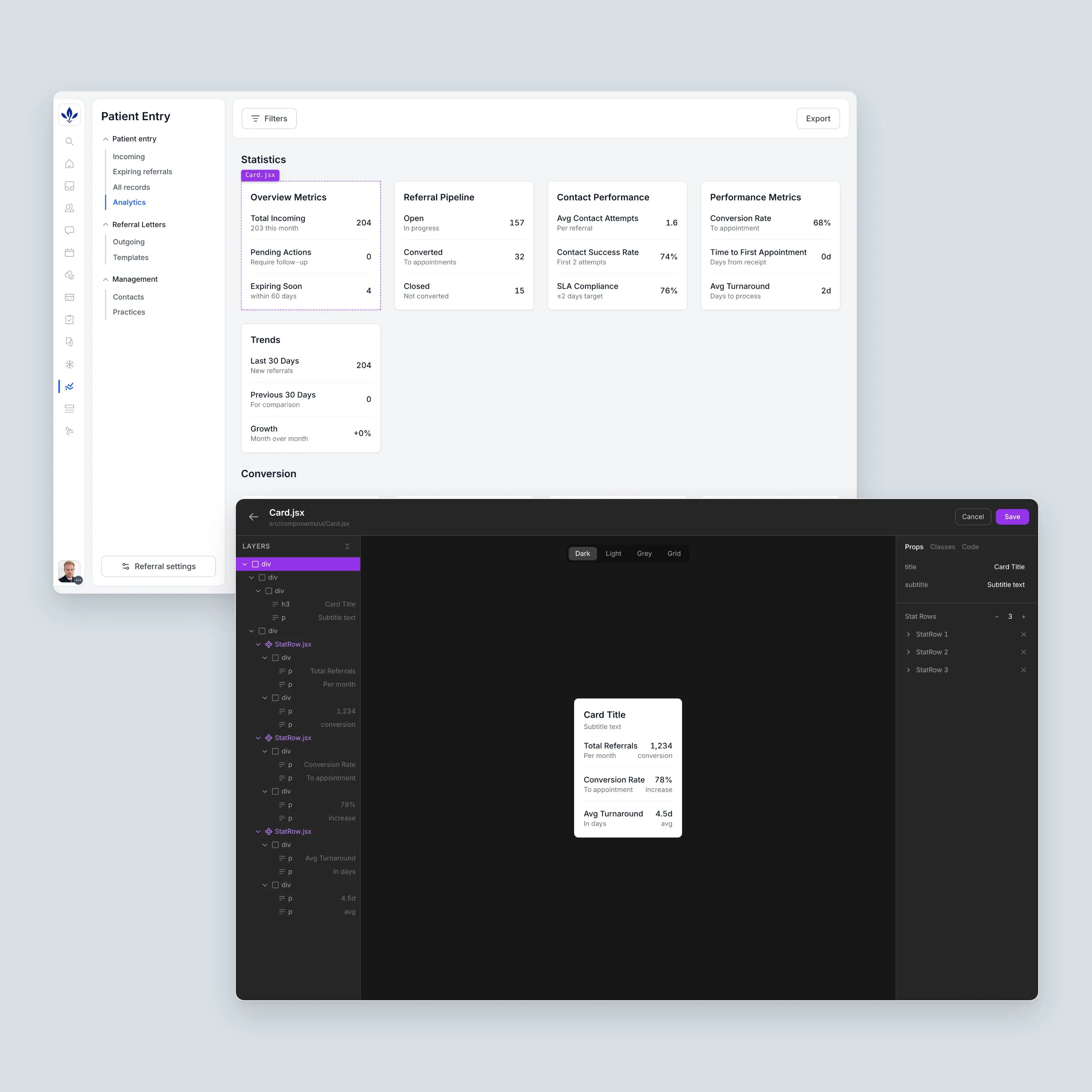
At wawa I designed in a React recreation of the platform instead of Figma. That made my designs real, but it also meant changing a button’s padding or a card’s border meant editing code. Design Mode was my answer: a Figma-style editor that lives inside the running prototype, so you can click any component and restyle it visually.
It came before the team moved to designing with AI. I wasn’t yet sure it was realistic to put every designer in a code environment, so I wanted to find out whether designers could change real code without having to write it.
How it works
Turn on Design Mode from the prototype’s feature flags and every registered component gets a purple outline on hover, labelled with its source file, like Card.jsx. Click the label and the component opens in a dark editor, isolated from the page:
- Layers: the component’s real DOM as a tree, including nested components like the
StatRow.jsxrows inside a card. It stays in sync with the live markup as you edit. - Canvas: a live preview on a dark, light, grey or transparent grid background, to check contrast and edges.
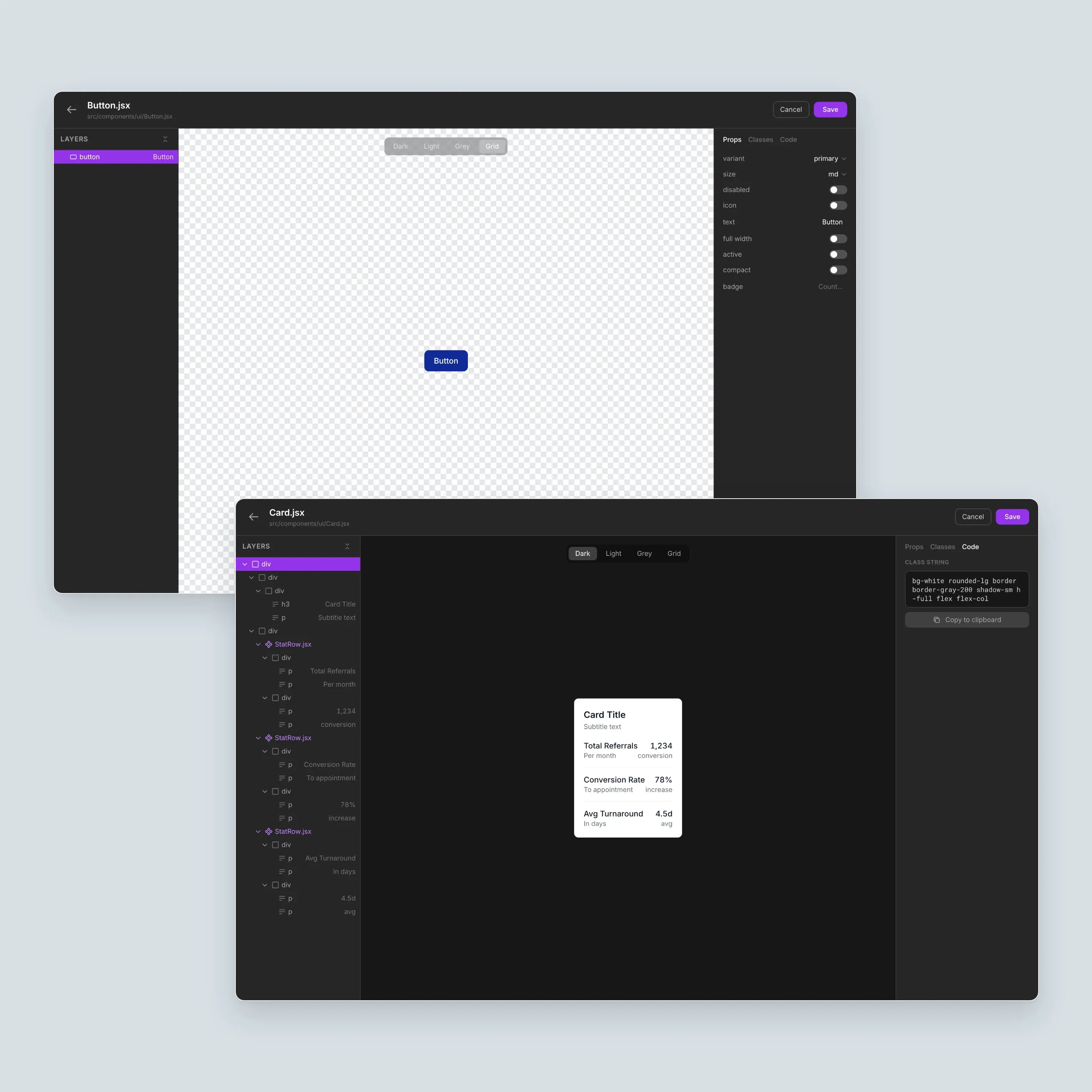
- Props: the component’s own options as switches, dropdowns, sliders and text fields, defined once in a component registry. Options can appear only when they apply, like an icon picker that shows up when the icon switch is on.
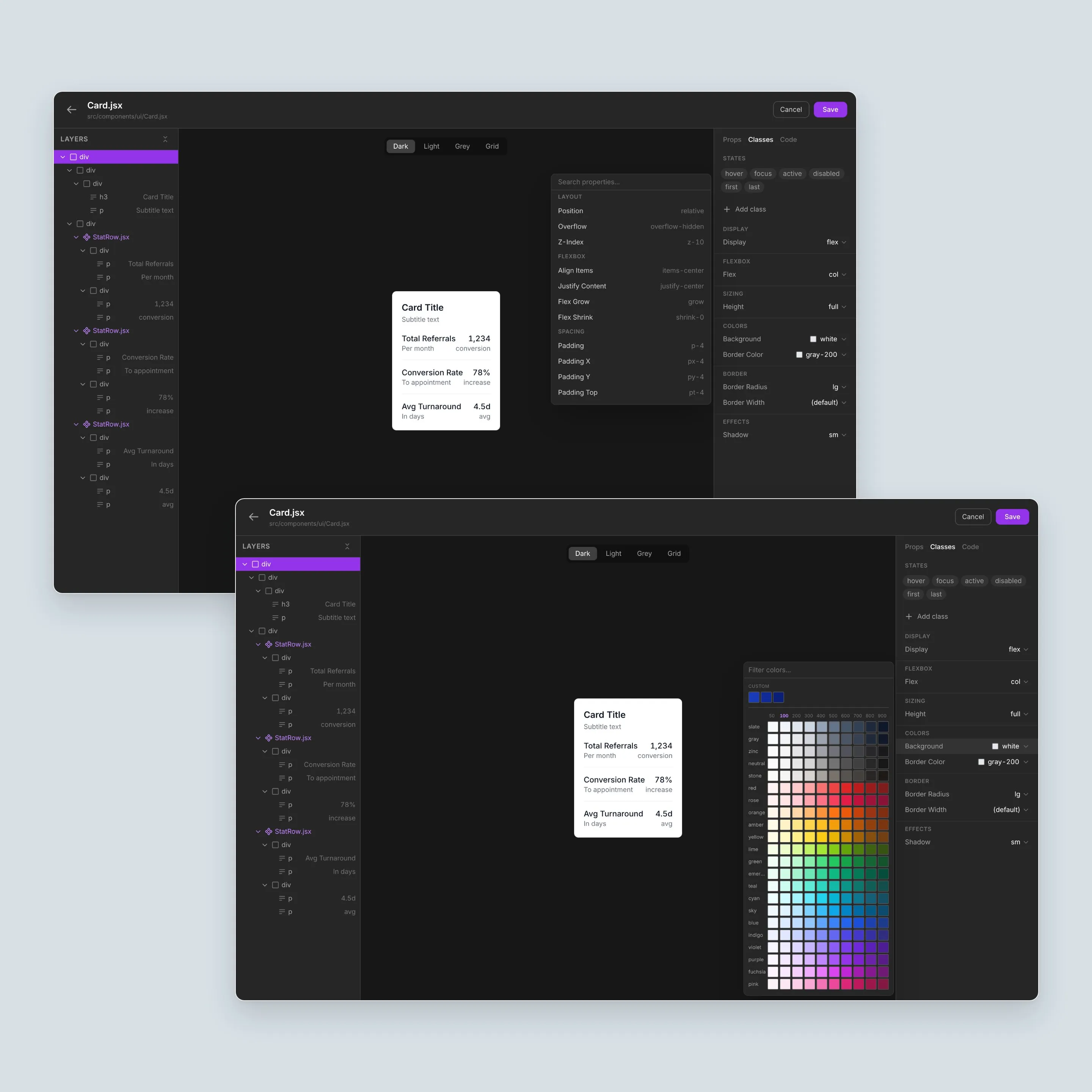
- Classes: a visual editor for the component’s Tailwind classes, grouped the way designers think: display, flexbox, sizing, spacing, colours, borders, typography and effects.
- Code: the final class string, ready to copy.
Designing like a designer, editing like a developer
The hard part was making Tailwind feel like a design tool without hiding what it really is.
- Parsed, not typed: the editor reads a component’s class string and turns each class into a labelled control (Padding Top
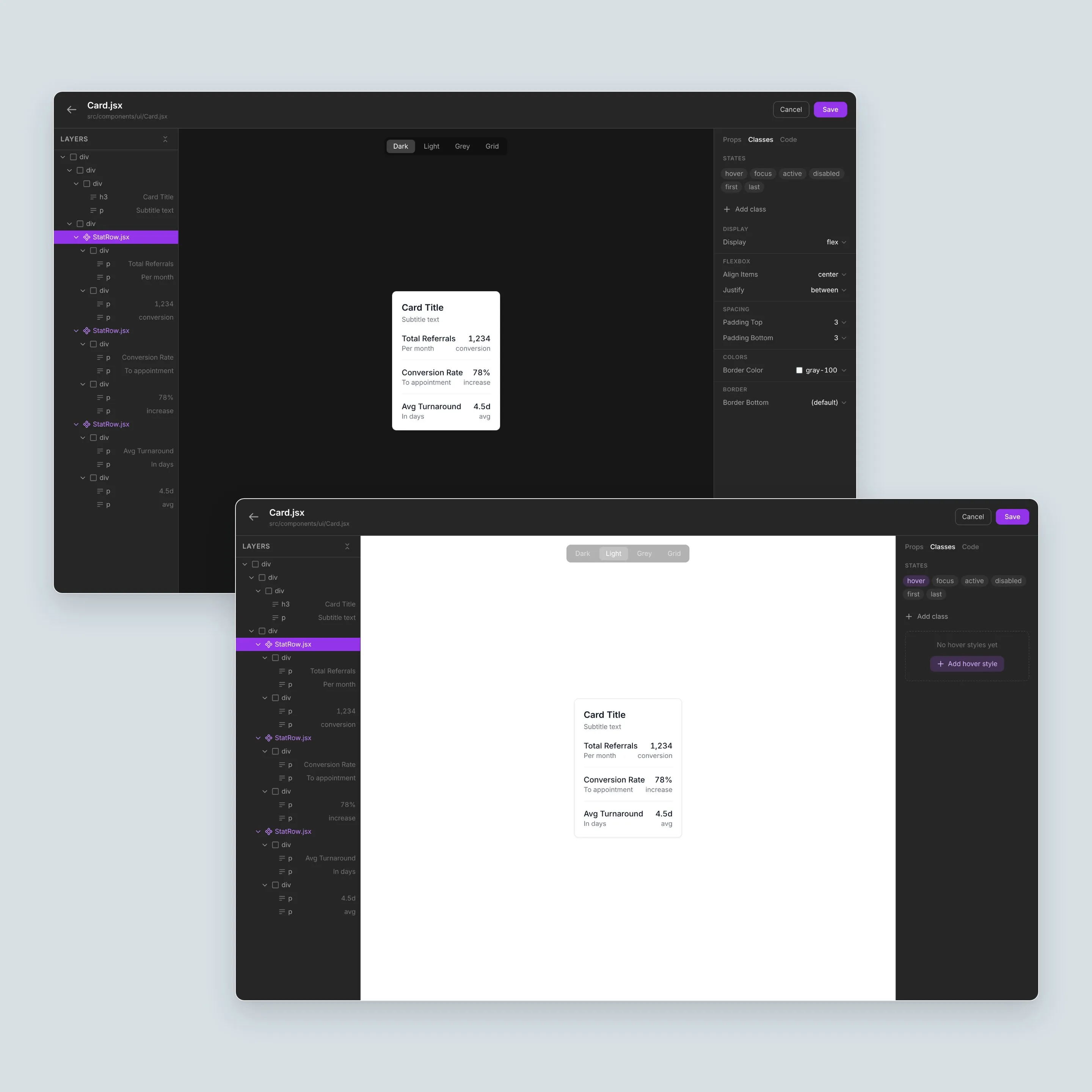
pt-4, Border Colorgray-200). Changing a control rewrites the class, so the output is always valid Tailwind. - States you can see: hover, focus, active and disabled are one click away. Selecting one forces that state on in the preview, so you can design a hover style without trying to hold your mouse over a button.
- Nested edits that stay consistent: select a layer inside a nested component and your change applies to every matching instance, so all three stat rows in a card update together.
- Undo and redo with the usual keyboard shortcuts, and a reset back to the original.
- Saved as overrides: changes are kept separately from the original, so the real component is never damaged, and each one can be reset.
The idea: changes an AI can apply
Design Mode was never meant to be the place the change ends. My plan was for it to output what a designer changed as a short set of rules, which component, which element and which classes changed, that an AI could then apply to the real codebase at the press of a button.
That would have let designers make precise visual changes to production code without writing it, with the code still reviewed by an engineer before it went live.
If I took it further
Looking back, AI is best kept for the cases that really need it. I’d route each change by how far it reaches:
- System changes edit the system: changing “card shadow” or “secondary button” should update a design token or component variant that the code reads, not one component’s classes. One change, applied consistently everywhere, and it maps cleanly onto the Ruby gems wawa’s design system ships as.
- Simple edits go straight to the file: tag every element with its source file and line at build time, and Design Mode can rewrite that exact class itself: instant, predictable and free.
- AI handles the complex cases: conditional classes and unusual markup are where an AI applying a rule set really earns its place.
- Everything arrives as a pull request: each change opens a pull request with before-and-after screenshots, so engineers review visual changes the way they already review code.
Where it ended up
Design Mode stayed an experiment. Soon after, the team moved to designing directly in the production codebase with Claude Code, which made a separate editor less necessary.
But it did its job: it showed that designers could work on real components, not pictures of them, and the components page I built alongside it became the groundwork for wawa’s design system. Read more in the wawa case study.